KubePilot is an open-source Kubernetes troubleshooting cockpit built by the Workstation engineering team. It combines AI-assisted diagnosis (CoPilot), SRE-style cluster browsing (Pilot), and policy-gated remediation (AutoPilot) so platform, SRE, and DevOps teams move from noisy signals to a safe fix — without juggling kubectl tabs mid-incident. Product site: kubepilot.org. Source: github.com/bwalia/kubepilot.
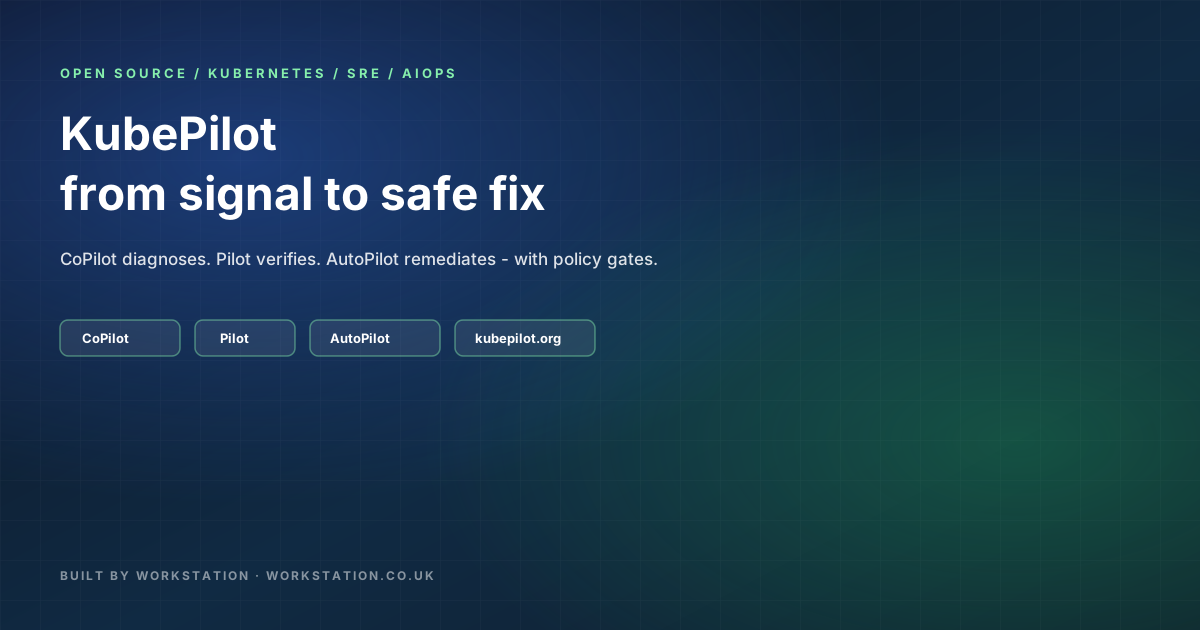
- What: open-source K8s cockpit — CoPilot (AI RCA) + Pilot (SRE browser) + AutoPilot (gated fixer).
- Who: SRE, DevOps, platform / AIOps teams who need faster MTTR with auditable automation.
- Run: binary
serveon :8383, Helm chart, Docker (ghcr.io/kubepilot/kubepilot), iOS companion. - AI: local LLMs via Ollama; Copy Prompt; MCP server on :9090.
- Safety: read-only Pilot defaults; AutoPilot off/dry-run/active; confidence floors; blocklists; kill switch; decision ledger.
1. Watch the walkthrough
youtu.be/CsiJWpfncqA — Balinder Walia, Workstation.
2. The problem KubePilot solves
Modern clusters emit more signal than humans can triage in a single page: CrashLoops, ImagePullBackOff, OOMKills, node pressure, flaky probes, and YAML drift. Typical response spreads across:
kubectlhistory and shell scripts,- a browser UI (Lens / Rancher / dashboard),
- logs in a third tool,
- an LLM chat with pasted YAML (and no cluster auth).
That fragmentation burns minutes when minutes are the SLA. KubePilot collapses the loop into one cockpit: spot → ask → verify → fix.
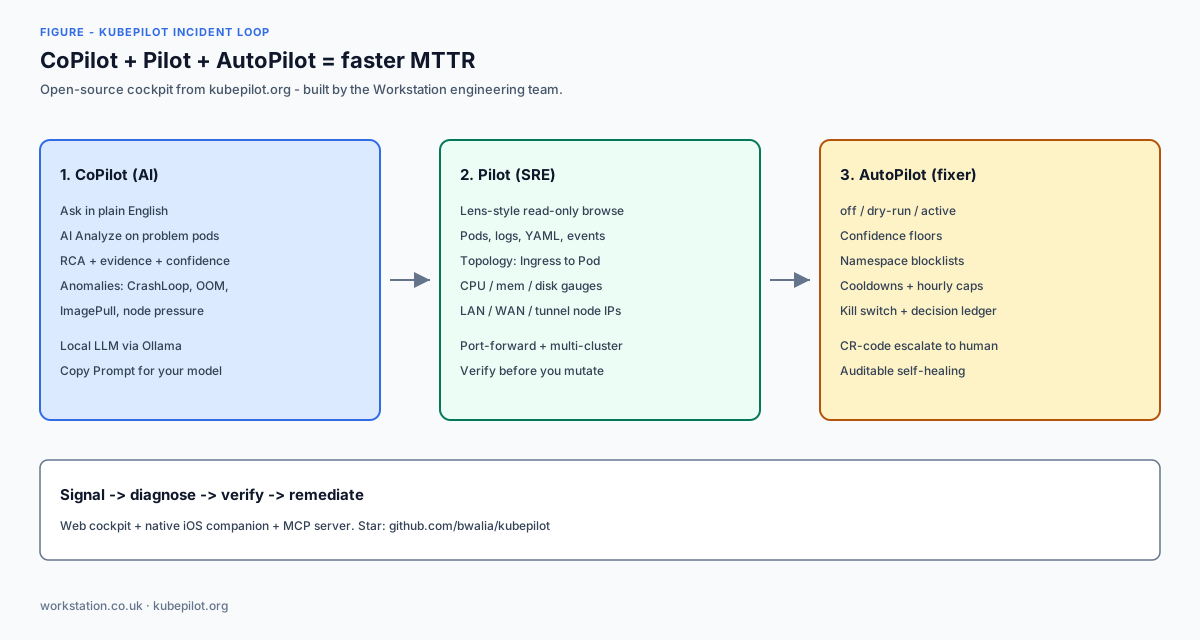
3. Mode A — CoPilot (AI-assisted troubleshooting)
CoPilot is the natural-language and automated RCA surface:
- Ask operational questions in plain English (“why is checkout CrashLooping in prod?”).
- One-click AI Analyze on problem pods and events.
- Root-cause analysis with evidence chains, confidence, risk, suggested commands, YAML fixes, and next steps.
- Anomaly detection for CrashLoop, OOM, ImagePull, and node pressure patterns.
- Copy Prompt to reuse the exact diagnosis prompt with your preferred model.
- Designed for Ollama / local models so cluster context can stay on your network.
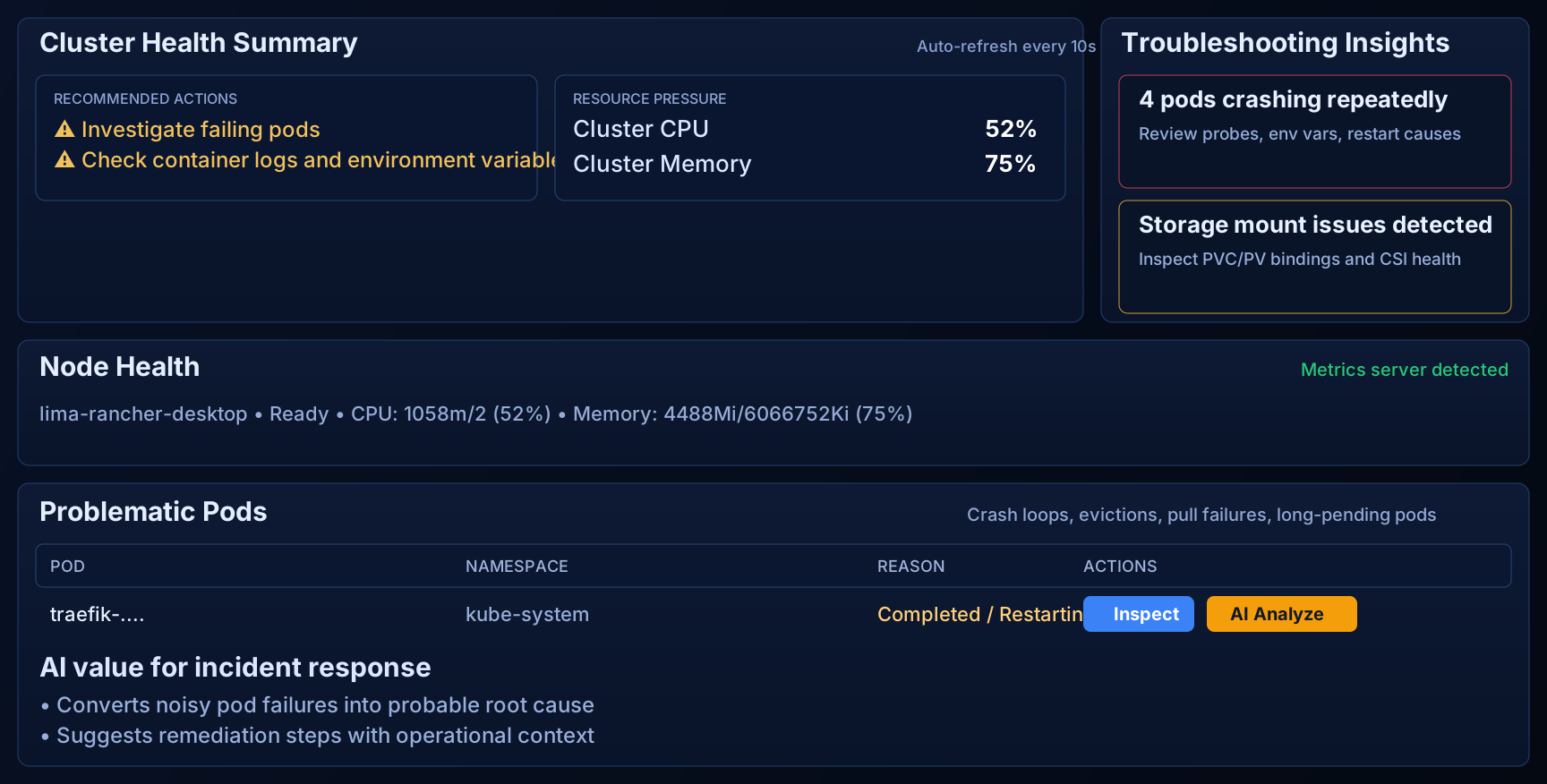
4. Mode B — Pilot (SRE troubleshooting browser)
Pilot is the Lens/Rancher-style read-only workbench for verification before mutation:
- Browse Deployments, StatefulSets, DaemonSets, Jobs, Services, Ingresses, ConfigMaps, Secrets, PVCs.
- Pod workbench: overview, containers, events, logs, sanitized YAML, restart counts, uptime.
- Live cluster resource gauges (CPU, memory, disk) — Longhorn-aware where applicable.
- Service topology canvas: Ingress → Service → Workload → Pod with status colours and ports.
- Node LAN, WAN, and tunnel (e.g. WireGuard / flannel) IP classification — not only the overlay address.
- Port-forward tunnels from the UI; multi-cluster kubeconfig upload and context switching without restart.
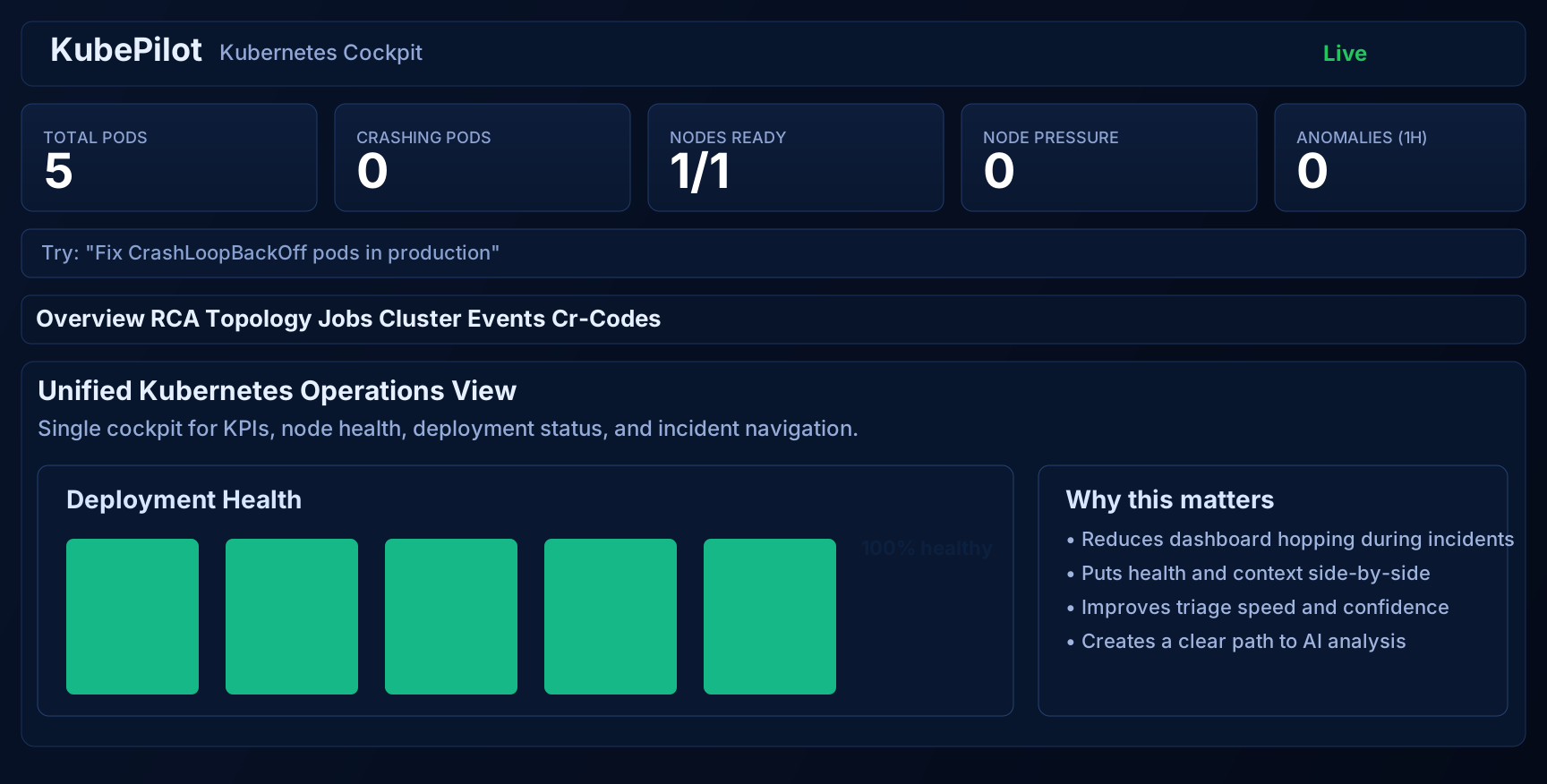
5. Mode C — AutoPilot (AI fixer with safety rails)
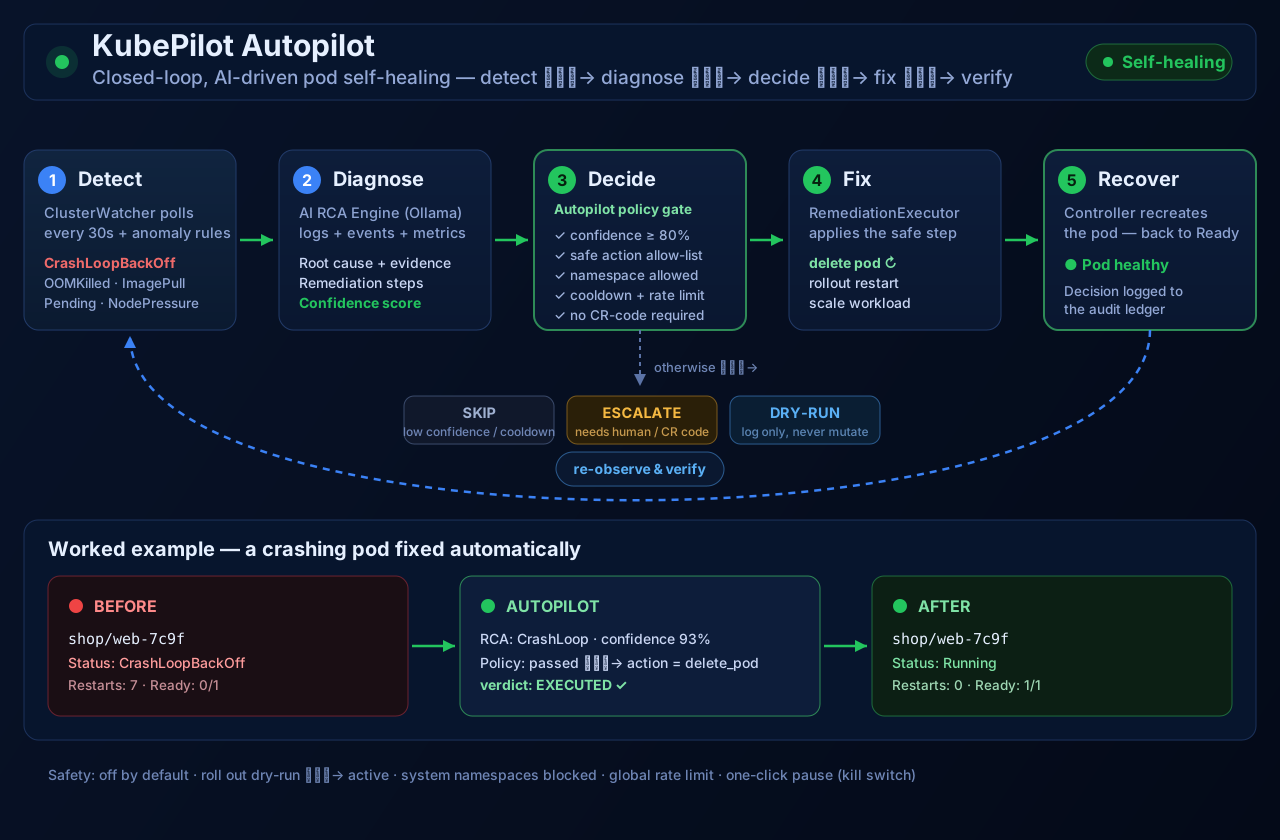
AutoPilot closes the loop with auditable self-healing — never “YOLO apply” as the default:
| Control | Purpose |
|---|---|
| Modes: off / dry-run / active | Preview before apply; keep automation parked when needed |
| Confidence floors | Skip low-confidence RCAs instead of guessing |
| Namespace blocklists & action allow-lists | Protect kube-system / prod namespaces; limit mutation types |
| Cooldowns & hourly caps | Prevent remediation storms |
| Kill switch | One-click pause for operators |
| Decision ledger | Executed, skipped, escalated, failed — audit trail |
| CR-code escalation | Human approval for risky actions |
6. Full feature map (from kubepilot.org)
- Pre-built runbooks: seven opinionated diagnostic workflows; custom YAML runbooks with fsnotify hot-reload (user IDs override builtins).
- Durable RCA history: optional embedded SQLite (WAL, no CGO) with retention for reports and anomalies across restarts.
- Alerts & timeline: warnings, events, anomalies, RCA as a searchable ops timeline; optional Slack incident cards.
- AI health chip: know Ollama is ready before an incident depends on it.
- Security-first defaults: optional auth, read-only browsing, mutation gates, CORS policies.
- MCP agent protocol: built-in MCP server for multi-cluster agent orchestration and programmatic access.
- Native iOS companion: SwiftUI app — health cards, pods, logs, RCA, Face ID, widgets, Siri / App Intents.
7. Install options
Prerequisites for source builds: Go 1.22+, Node.js 18+, a reachable cluster + kubeconfig; Ollama recommended for local AI.
7.1 Build from source
git clone https://github.com/bwalia/kubepilot.git
cd kubepilot
make dashboard-install
make dashboard
make build
KUBEPILOT_KUBECONFIG="$HOME/.kube/config" ./dist/kubepilot serve --dashboard-port=8383
# Dashboard/API: http://localhost:8383
# MCP server: :9090
7.2 Helm (cluster install)
helm repo add kubepilot https://bwalia.github.io/kubepilot
helm repo update
helm upgrade --install kubepilot kubepilot/kubepilot \
  -n kubepilot --create-namespace
kubectl port-forward svc/kubepilot -n kubepilot 8080:8080
# Open http://localhost:8080
Also supported: NodePort, Ingress (+ cert-manager TLS), LoadBalancer, and values overrides — see the chart README on GitHub.
7.3 Docker
docker run --rm -p 8383:8383 -p 9090:9090 \
  -v "$HOME/.kube:/root/.kube:ro" \
  ghcr.io/kubepilot/kubepilot:latest \
  serve --dashboard-port=8383
7.4 iOS companion
cd ios
brew install xcodegen
./generate.sh
open KubePilot.xcodeproj
# Point the app at http://<server-ip>:8383
8. Recommended operating model
- Day 0: run Pilot read-only against a non-prod cluster; wire Ollama; confirm AI health chip.
- Day 1: use CoPilot AI Analyze on known bad pods; compare RCA to your runbooks; tune Copy Prompt into your team LLM.
- Day 2: enable AutoPilot in dry-run only; review the decision ledger for a week.
- Day 3+: promote selected namespaces to active with tight allow-lists, confidence floors, and Slack alerts; keep kube-system blocked.
- Always: kill switch rehearsed; CR-code path for risky mutations; MCP tools behind auth (see our agentic security brief).
9. Production checklist
- ☐ Auth enabled for any network-reachable dashboard.
- ☐ AutoPilot starts in dry-run; active only after ledger review.
- ☐ Namespace blocklist includes system / shared namespaces.
- ☐ Hourly caps and cooldowns set below storm thresholds.
- ☐ Ollama (or approved LLM path) monitored via AI health.
- ☐ Slack or pager integration for high-severity anomalies.
- ☐ GitOps still owns desired state — AutoPilot is a tactical fixer, not a substitute for Argo CD / Flux.
- ☐ Star and track releases: github.com/bwalia/kubepilot.
10. Why Workstation ships this open source
Workstation builds automation platforms for real ops teams. KubePilot is our bet that AIOps only works when diagnosis and remediation share one evidence trail — and when automation is gated like a human SRE would gate a change. We publish it under open source so platform teams can run it on their own networks, extend runbooks, and wire MCP agents without vendor lock-in.
Start at kubepilot.org, clone the repo, and watch the walkthrough on YouTube. Companion summary: blog post.